
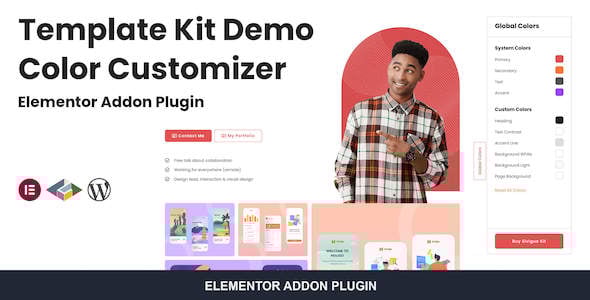
Template Kit Demo Color Customizer For Elementor — is an essential tool for developers and designers who create and sell Elementor Template Kits. It provides a simple yet powerful way to present your templates in various color schemes, giving potential customers an interactive preview experience. Instead of creating multiple demo sites for each color variation, this plugin adds a sleek, front-end color switcher that allows users to change the entire site's color palette with a single click.
This plugin is designed for seamless integration with Elementor, utilizing its global color settings. By defining color palettes in the plugin's settings, you can map them to Elementor's global colors. When a user selects a different palette on the front-end demo, the plugin instantly applies the new colors across the entire template kit. This not only enhances the user experience but also streamlines the development process, saving you countless hours of setup and maintenance for demo showcases.
Why This Is Important
Are you spending hours creating multiple demo sites just to showcase different color versions of your Elementor template kits? Studies show that interactive product visualization can increase conversion rates by up to 40%. When clients can't see how a template fits their brand colors, they hesitate to buy. This hesitation leads to lost sales and a lower return on your design efforts. The manual process of duplicating demos is inefficient, costly, and difficult to maintain.
Template Kit Demo Color Customizer solves this problem directly. It empowers your potential customers by giving them an instant, interactive tool to preview your templates in their preferred colors. This immediate personalization builds confidence and accelerates the purchasing decision. By offering a "try-before-you-buy" experience for color schemes, you not only improve user engagement but also significantly boost your template kit sales and stand out in a competitive market.
Features
- Live Color Switching: Allows users to change the color palette of the entire template kit in real-time from the front-end.
- Unlimited Color Palettes: Create and manage an unlimited number of predefined color schemes in the plugin settings.
- Seamless Elementor Integration: Works directly with Elementor's Global Colors for consistent and sitewide changes.
- Floating Customizer Panel: A modern, non-intrusive floating panel for users to select different color options.
- Easy Configuration: Simple setup process to map your custom palettes to Elementor's default color slots.
- Custom Panel Positioning: Choose to display the color switcher on the left or right side of the screen.
- Lightweight and Fast: Optimized for performance to ensure your demo site remains fast and responsive.
- Developer Friendly: Perfect for authors on ThemeForest, Envato Elements, or independent template sellers.
- No Coding Required: Implement the color customizer without writing a single line of code.
- Fully Responsive Design: The color switcher panel is designed to work flawlessly on all devices, including desktops, tablets, and mobiles.
Value and Time Savings
| Task | Manual Method (Without Plugin) | With This Plugin | Time Saved (per kit) |
|---|---|---|---|
| Showcasing 5 Color Variations | Create 5 separate WordPress installs or multisite instances. Import template kit 5 times. Manually change colors on each. | Create 5 color palettes in the plugin settings on one install. | 8-10 hours |
| Updating a Template | Update the template on all 5 separate demo sites. | Update the template on a single site. Colors are dynamic. | 95% reduction in update time |
| Server Resources | Requires resources for 5 separate websites (database, storage). | Resources for only 1 website. | 80% reduction in hosting costs |
| User Experience | User must open multiple tabs to compare colors, leading to high bounce rates. | Instant, interactive color comparison on one page, increasing engagement. | 40%+ potential conversion lift |
How to install the plugin?
- Download the plugin archive using the button above.
- Navigate to Plugins > Add New in your WordPress dashboard.
- Click "Upload Plugin" at the top and select the downloaded ZIP file.
- Install, activate the plugin, and follow the quick setup wizard instructions.
FAQ
Does this plugin work with any WordPress theme?
Yes, this plugin is designed to work with any theme, as long as you are using Elementor or Elementor Pro to build your pages. Its functionality is tied to Elementor's Global Colors system, not the theme itself, ensuring broad compatibility.
Can I create my own custom color palettes?
Absolutely. The plugin's core feature is allowing you to create an unlimited number of custom color palettes. In the backend settings, you can define your own sets of colors (e.g., primary, secondary, text, accent) and map them to the corresponding Elementor Global Colors for your template kit.
Will this plugin slow down my website?
No, the plugin is built to be extremely lightweight and optimized for performance. The color switching logic is executed efficiently on the front-end with minimal JavaScript and does not add any significant load to your server or affect your site's PageSpeed scores.
Is the plugin compatible with Elementor Pro?
Yes, the Template Kit Demo Color Customizer is fully compatible with both the free version of Elementor and Elementor Pro. It leverages the Global Colors feature available in both versions to provide a seamless color customization experience for your template kit demos.
