
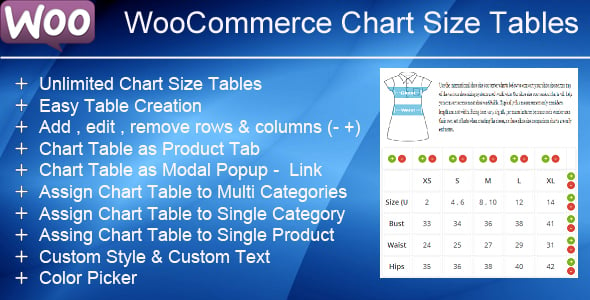
WooCommerce Product Chart Sizes Table — is an essential tool for any online store selling products that require sizing, such as apparel, shoes, or rings. It directly addresses one of the biggest challenges in e-commerce: helping customers choose the correct size. By integrating clear, accessible, and customizable size charts directly into your product pages, this plugin bridges the information gap that often leads to hesitation and cart abandonment.
The plugin offers a flexible and intuitive interface for creating an unlimited number of size charts. You can design tables with custom rows and columns, add descriptive text, and even include images to provide comprehensive guidance. These charts can then be efficiently assigned to single products, multiple products at once, or entire product categories, saving you valuable time. This level of control ensures that every product has accurate sizing information readily available to your customers.
Beyond its core functionality, the plugin is designed to enhance the user experience. Charts are displayed in a clean pop-up window or can be embedded directly on the page, and they are fully responsive to look great on any device. By empowering customers with the information they need to make confident purchasing decisions, you not only improve conversion rates but also significantly reduce the likelihood of costly returns due to sizing errors, ultimately boosting both customer satisfaction and your bottom line.
Why This Is Important
- Reduce Costly Returns: Industry data shows that over 30% of apparel bought online is returned, with incorrect sizing being the primary cause. A clear size chart can cut this rate by up to 50%, saving you money on reverse logistics and restocking.
- Boost Conversion Rates: Sizing uncertainty is a major factor in cart abandonment. According to the Baymard Institute, a lack of product information can deter potential buyers. Providing a detailed size guide can increase conversion rates by as much as 20% by giving customers the confidence to complete their purchase.
- Enhance Customer Trust: Helping customers get their order right the first time builds trust and encourages repeat business. A professional, easy-to-use size chart demonstrates a commitment to customer satisfaction and improves your brand's reputation.
Features
- Create unlimited size charts with a user-friendly table editor.
- Assign charts to multiple products or entire categories at once.
- Display size charts in a stylish and responsive modal pop-up.
- Option to display the chart as a tab on the product page.
- Pre-defined templates to get you started quickly.
- Fully customizable table styles to match your store's branding.
- Add images and descriptive text within your size charts for better clarity.
- Intuitive shortcode support for placing charts anywhere.
- Highly responsive design that works perfectly on mobile, tablet, and desktop.
- Multilingual support, compatible with WPML for international stores.
Benefit Breakdown: Before vs. After
| Metric / Feature | Without Plugin (Before) | With Plugin (After) |
|---|---|---|
| Return Rate | High (Avg. 30% for apparel) | Reduced (Up to 50% decrease) |
| Conversion Rate | Lower due to size uncertainty | Increased (Up to 20% increase) |
| Customer Confidence | Low; customer has to guess | High; confident in size choice |
| Support Inquiries | Frequent questions about sizing | Significantly fewer inquiries |
| User Experience | Frustrating, requires searching for info | Seamless, info on product page |
| Brand Perception | Could seem unprofessional or unhelpful | Professional and customer-focused |
How to install the plugin?
- Download the plugin archive using the button above.
- Navigate to Plugins > Add New in your WordPress dashboard.
- Click "Upload Plugin" at the top and select the downloaded ZIP file.
- Install, activate the plugin, and follow the quick setup wizard instructions.
FAQ
Can I create different size charts for different product categories, like T-shirts and shoes?
Absolutely. The plugin is designed for this exact purpose. You can create an unlimited number of unique size charts. For instance, you can create one chart for your "T-Shirts" category and a completely different one for your "Shoes" category, and the plugin will automatically display the correct chart for products in those categories.
Will the size chart tables be mobile-friendly?
Yes, all size charts created with this plugin are fully responsive. They will automatically adjust to fit the screen size of any device, whether it's a desktop, tablet, or smartphone, ensuring a seamless experience for all your customers.
Is it possible to add images or notes inside the size chart?
Yes, you can. The editor allows you to add not only text and measurements but also images and additional descriptive text or notes directly into the size chart. This is perfect for adding diagrams on how to measure or for providing extra fitting advice to your customers.
How is the size chart displayed on the product page?
You have several options. The most common method is a button or link that opens the size chart in a clean, professional pop-up (modal) window. You can also configure it to display the chart in a dedicated tab alongside the product description and reviews, or even embed it directly into the product's short description using a shortcode.
