
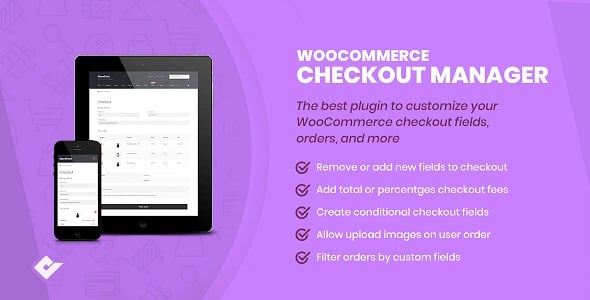
WooCommerce Checkout Manager — provides a comprehensive solution for personalizing the checkout experience in your online store. It empowers you to take full control over the fields displayed during the checkout process, whether they are in the billing, shipping, or additional information sections. With an intuitive drag-and-drop interface, you can effortlessly rearrange existing fields, add new custom fields of various types (like text, select, checkbox, and date), and remove any unnecessary ones that might be cluttering your page.
Beyond simple field management, this plugin offers advanced features such as conditional logic, allowing you to show or hide fields based on user selections or cart contents. This dynamic capability ensures that your customers only see relevant fields, reducing friction and simplifying their journey. You can also make fields optional or required, add custom CSS classes for styling, and include helpful tooltips to guide users. It's the perfect tool for store owners who want to streamline their checkout process, reduce cart abandonment, and gather specific information from customers in a structured and user-friendly way.
Why is an Optimized Checkout Crucial?
A complicated or lengthy checkout process is a major conversion killer. According to studies by the Baymard Institute, nearly 21% of online shoppers abandon their carts because the checkout process was too long or complex. Every unnecessary field you ask a customer to fill out increases friction and the likelihood they will leave without buying.
WooCommerce Checkout Manager directly addresses this pain point. By allowing you to remove redundant fields (like 'Company Name' or 'Apartment, suite, etc.') and add only what's essential, you can significantly shorten the process. Imagine boosting your conversion rate by simply hiding a few fields. This plugin gives you the power to tailor the checkout to your exact audience, making it faster, more intuitive, and ultimately, more profitable.
Features
- Drag-and-Drop Field Editor: Easily reorder billing, shipping, and additional fields.
- Add New Custom Fields: Create new fields with 15 available types, including text, textarea, password, checkbox, select, date picker, and more.
- Edit Core Fields: Change labels, placeholders, and other properties of default WooCommerce fields.
- Conditional Logic: Show or hide fields based on cart contents, user roles, or other field values.
- Disable/Remove Fields: Completely remove or disable any core or custom fields.
- Make Fields Optional: Change required fields to optional to reduce checkout friction.
- Display in Order Details: Show custom field data in order confirmation emails and on the admin order page.
- Field Validation Rules: Add validation for fields like email, phone number, and postcodes. *li>Custom CSS Classes: Apply custom styling to individual fields for a unique look.
- File Uploader Field: Allow customers to upload files during the checkout process.
Version Comparison: Free vs. Pro
| Feature | Free Version | Pro Version |
|---|---|---|
| Add & Reorder Fields | ✔️ | ✔️ |
| Edit Core Fields | ✔️ | ✔️ |
| Remove Core Fields | ✔️ | ✔️ |
| 7 Basic Field Types | ✔️ | ✔️ |
| 8+ Advanced Field Types (File Upload, Date) | ❌ | ✔️ |
| Conditional Logic | ❌ | ✔️ |
| Custom Field Validation | ❌ | ✔️ |
| Display Fields in Emails | Basic | ✔️ Full Control |
| Priority Support | ❌ | ✔️ |
How to install the plugin?
- Download the plugin archive using the button above.
- Navigate to Plugins > Add New in your WordPress dashboard.
- Click "Upload Plugin" at the top and select the downloaded ZIP file.
- Install, activate the plugin, and follow the quick setup wizard instructions.
FAQ
Can I use this plugin to add a custom fee at checkout?
No, WooCommerce Checkout Manager is designed specifically for managing checkout *fields* (like text boxes, dropdowns, etc.). It does not handle pricing or fees. To add custom fees, you would need a different plugin, such as "WooCommerce Extra Fees Plugin" or a similar solution that hooks into the pricing system.
Will the custom fields I create be visible to the customer after they place an order?
Yes, you can configure the plugin to display the data from your custom fields in multiple places. This includes the customer's "My Account" page under their order details, as well as in the order confirmation emails they receive. This ensures transparency and provides customers with a complete record of the information they submitted.
How does conditional logic work in this plugin?
Conditional logic (a pro feature) allows you to create a dynamic and intelligent checkout form. You can set rules to show or hide a specific field based on what the user has selected in another field or what products are in their cart. For example, you can show a "VAT Number" field only if the customer has selected "Business" as their account type, or show an "Engraving Text" field only if a specific engravable product is in the cart.
Is this plugin compatible with multi-step checkout plugins?
Compatibility can vary. While WooCommerce Checkout Manager follows standard WooCommerce hooks and practices, conflicts can sometimes arise with plugins that heavily modify the checkout template, such as multi-step checkout plugins. It is generally compatible with many popular options, but it's always recommended to test the integration on a staging site first to ensure both plugins work together seamlessly.
