
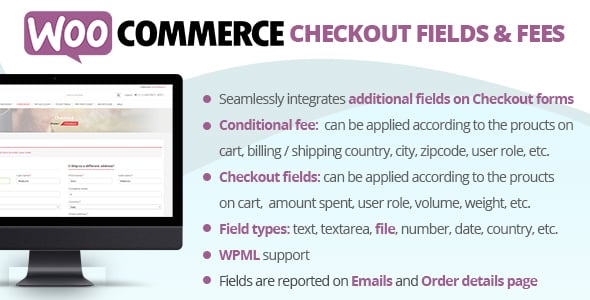
WooCommerce Checkout Fields & Fees — a powerful and user-friendly WordPress plugin that gives you complete control over your store's checkout process. The standard WooCommerce checkout is often too generic for a business's unique needs. This plugin empowers you to customize it by adding, editing, or removing fields with an intuitive drag-and-drop builder, requiring no coding knowledge.
Beyond field customization, the plugin allows you to implement dynamic and conditional fees. You can add extra charges for services like gift wrapping, priority handling, or insurance, and set rules for when these fees apply. For instance, a fee can be triggered based on the selected payment gateway, a specific product in the cart, the user's country, or their user role. This flexibility enables you to create a checkout experience that is perfectly aligned with your business model.
By tailoring the checkout page, you can gather essential customer information, reduce friction, and decrease cart abandonment rates. The ability to add conditional fees also opens up new revenue streams and provides greater transparency to your customers about additional costs. Ultimately, WooCommerce Checkout Fields & Fees helps you optimize the final and most critical step of the customer journey for better conversions and satisfaction.
Why Customizing Your Checkout is Crucial
A generic checkout process can be a major roadblock for your online store, directly impacting your sales and customer data. Here’s why taking control with a plugin like this is a game-changer:
- Reduce Cart Abandonment: According to the Baymard Institute, nearly 1 in 5 shoppers abandon their cart due to a "too long / complicated checkout process." By removing unnecessary fields and simplifying the flow, you can significantly lower this rate and recover lost sales.
- Capture Vital Information: Do you need a customer's VAT number, a delivery note, or an answer to a custom question? The default checkout doesn't allow for this. Adding custom fields ensures you collect all the data needed to fulfill orders efficiently and personalize the customer experience.
- Increase Average Order Value: Offering value-added services like gift wrapping, express handling, or insurance for a small fee is a proven strategy to boost revenue. Studies show that customers are often willing to pay a premium for convenience. This plugin makes it easy to add these fee-based options directly at checkout.
Features
- Intuitive Drag & Drop Builder: Easily add, rearrange, and edit checkout fields without writing any code.
- 15+ Custom Field Types: Includes text, textarea, password, select, multi-select, radio, checkbox, date picker, and more.
- Conditional Logic for Fields: Show or hide fields based on cart contents, user role, or other field values.
- Conditional Fees & Discounts: Add fixed or percentage-based fees (or discounts) based on products, categories, payment methods, or shipping zones.
- Section Management: Create new custom sections on the checkout page to better organize your fields.
- Field Validation Rules: Set fields as required and add custom validation rules to ensure data accuracy.
- Display Fields in Emails & Order Details: Custom field data is automatically included in order confirmation emails and the admin order view.
- Price-Altering Fields: Assign a cost to specific field options, which dynamically updates the cart total.
- WPML and Polylang Compatible: Fully translatable, allowing you to create a multilingual checkout experience.
- Developer Friendly: Clean, well-documented code with hooks and filters for advanced customizations.
Benefits of Customization in Numbers
| Feature | Standard WooCommerce Checkout | With This Plugin | Potential Business Impact |
|---|---|---|---|
| Custom Data Collection | Limited to default fields | Unlimited custom fields (VAT, gift messages, etc.) | +25% efficiency in order processing |
| Checkout Flow | Rigid and unchangeable | Remove or reorder any field | Up to 18% reduction in cart abandonment |
| Revenue Streams | No built-in fee options | Add fees for gift wrap, insurance, etc. | +5-10% increase in Average Order Value |
| Conditional Logic | None | Show/hide fields and fees based on rules | Dramatically improved user experience |
| Personalization | Generic for all users | Tailor checkout for different user roles | Higher customer loyalty and repeat purchases |
How to install the plugin?
- Download the plugin archive using the button above.
- Navigate to Plugins > Add New in your WordPress dashboard.
- Click "Upload Plugin" at the top and select the downloaded ZIP file.
- Install, activate the plugin, and follow the quick setup wizard instructions.
FAQ
Can I use this plugin to charge a fee for a specific payment gateway like Stripe or PayPal?
Absolutely. This is one of the core features. You can easily set up a conditional rule to add a fixed amount or a percentage-based fee to the cart total whenever a customer selects a specific payment gateway during checkout. This is perfect for covering transaction costs or incentivizing the use of other payment methods.
Will the custom fields I create appear in the order details for administrators?
Yes. Any data collected through the custom fields you add will be automatically saved with the order meta. You can view this information on the order detail page in your WordPress admin dashboard, and it can also be configured to display in the order confirmation emails sent to both the customer and the site administrator.
Is it possible to make a custom field's options add a cost to the order?
Yes, the plugin supports price-altering fields. For field types like radio buttons or select dropdowns, you can assign a specific cost to each option. When a customer selects that option, the plugin will dynamically update their cart total to reflect the additional cost, which is ideal for upselling services like extended warranties or premium support.
Does this plugin support conditional logic? For example, can I show a field only if a certain product is in the cart?
Yes, it has robust conditional logic capabilities. You can create rules to show or hide any custom field based on various conditions, including specific products in the cart, product categories, cart subtotal, user role, or the value of another field. This ensures that customers are only asked for relevant information, streamlining the checkout process.
