
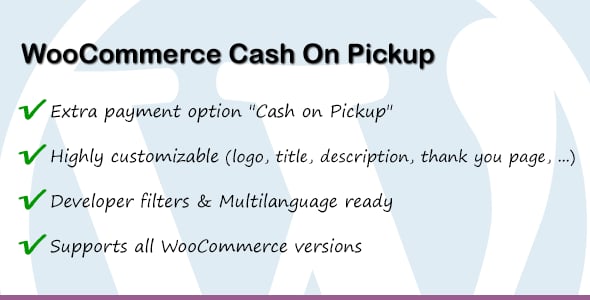
WooCommerce Cash On Pickup — is a lightweight and highly specific payment gateway plugin designed for WooCommerce. It seamlessly integrates a new payment option, "Cash On Pickup," which intelligently appears at checkout only when a customer has chosen a "Local Pickup" or similar in-store collection shipping method. This prevents confusion and ensures a smooth user experience for your local customer base.
The plugin is incredibly easy to configure. From the WooCommerce settings panel, you can enable or disable the gateway, change its title, and add custom instructions for your customers, such as "Please pay with exact change at the front desk." It supports multiple local pickup shipping zones and methods, making it flexible for businesses with several pickup locations. This simple yet powerful tool is essential for any brick-and-mortar store looking to bridge its online presence with its physical operations, boosting local sales and customer convenience.
Why This Is Important
The Pain Point: Standard WooCommerce offers "Cash on Delivery" (COD) and "Local Pickup," but not a combined, logical option. This forces store owners to use confusing workarounds. Customers might see a COD option even for pickup, or you might have to manually process these orders, wasting time and risking errors. According to a Baymard Institute study, 18% of users abandon their carts due to a "too long / complicated checkout process." A confusing payment option is a major part of that friction.
The Solution with Data: By implementing a clear "Cash On Pickup" option, you cater directly to the 45% of global shoppers who have used "Buy Online, Pick Up In-Store" (BOPIS) services. This plugin removes the guesswork, making the checkout process for local customers faster and more intuitive. This improved experience can directly lead to a higher conversion rate for your local customer segment and reduce the administrative burden of managing pickup orders.
Features
- Conditional Gateway: Automatically shows/hides the payment option based on the selected shipping method.
- Easy Configuration: Enable/disable with a single click from the WooCommerce settings.
- Customizable Title: Change the gateway title that customers see at checkout (e.g., "Pay In-Store").
- Custom Instructions: Add a description or instructions for customers (e.g., pickup hours, location details).
- Multi-Zone Support: Works seamlessly with multiple "Local Pickup" options across different shipping zones.
- Lightweight & Fast: Coded to be efficient and not slow down your website's checkout process.
- Translation Ready: Fully translatable into any language using standard WordPress methods (.pot file included).
- Developer Friendly: Clean code with hooks for further customization if needed.
- No Extra Fees: Allows you to offer a payment method without incurring transaction fees from payment processors.
- Enhances Local SEO: Improves the user experience for local customers, which is a positive signal for local search rankings.
Version Comparison
| Feature | Free Version (This Plugin) | Typical Premium Alternative |
|---|---|---|
| Core Functionality | ✅ Cash On Pickup for Local Shipping | ✅ Cash On Pickup for Local Shipping |
| Custom Gateway Title | ✅ Fully Customizable | ✅ Fully Customizable |
| Custom Instructions | ✅ Supported | ✅ Supported |
| Restrict by User Role | ❌ Not Included | ✅ Yes |
| Add Processing Fee | ❌ Not Included | ✅ Fixed or Percentage Fee |
| Conditional on Cart Total | ❌ Not Included | ✅ Set Min/Max Order Amount |
| Dedicated Support | Community / Forum Support | ✅ Priority Email/Ticket Support |
| Overall Value | Excellent for core needs | Better for complex rules |
How to install the plugin?
- Download the plugin archive using the button above.
- Navigate to Plugins > Add New in your WordPress dashboard.
- Click "Upload Plugin" at the top and select the downloaded ZIP file.
- Install, activate the plugin, and follow the quick setup wizard instructions.
FAQ
What is the difference between "Cash on Delivery" and "Cash on Pickup"?
"Cash on Delivery" (COD) is a payment method where the customer pays for the goods when they are delivered to their home address. "Cash on Pickup," as enabled by this plugin, is for when the customer comes to your physical store or a designated pickup point to collect their order. This plugin ensures the cash payment option is only shown when they've chosen to pick up the order themselves, avoiding confusion.
Can I enable Cash On Pickup for specific products only?
This plugin controls the payment gateway based on the selected shipping method, not on a per-product basis. If you need to restrict payment methods for specific products, you would typically need an additional, more advanced plugin that manages conditional payment and shipping rules for WooCommerce.
Will this plugin work if I have multiple local pickup locations?
Yes. As long as you have configured your pickup locations as "Local Pickup" options within WooCommerce Shipping Zones, the plugin will recognize them. When a customer selects any of these local pickup methods during checkout, the "Cash On Pickup" payment option will become available.
Is it possible to charge an extra fee for using Cash on Pickup?
This free version of the plugin does not include a feature for adding processing fees. Its primary purpose is to simply and cleanly enable the payment gateway. To add extra fees to a payment gateway, you would need a premium plugin that offers advanced fee and discount management for WooCommerce checkouts.
