
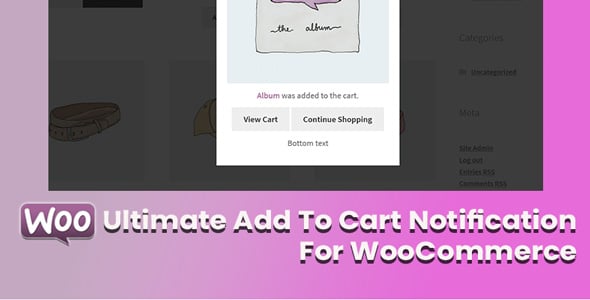
Ultimate Add To Cart Notification For WooCommerce — is a powerful tool designed to replace the standard, often-missed WooCommerce confirmation message with an engaging, modern, and highly customizable notification system. When a customer adds an item to their cart, this plugin provides instant, visually appealing feedback. This ensures the user knows their action was successful and encourages them to continue shopping or proceed to checkout, creating a more fluid and professional e-commerce experience.
The plugin is built with both aesthetics and functionality in mind. It is lightweight, fully responsive, and offers a wide range of customization options to perfectly match your store's branding. You can control the notification's position, style, colors, content, and behavior. By providing clear confirmation and easy access to the cart, you can significantly reduce friction in the purchasing process, leading to a better user journey and improved customer satisfaction. This simple enhancement can have a noticeable impact on your store's performance.
Why This Is Important
Your customers' checkout experience starts the moment they add the first item to their cart. Standard WooCommerce notifications are often uninspiring and can be easily missed, leading to confusion. Pain Point: A user clicks "Add to Cart" but sees no clear confirmation. Do they click again? Did it work? This hesitation creates friction and can lead to cart abandonment. According to Baymard Institute, a poor user experience is a major contributor to the nearly 70% average cart abandonment rate. A clear, immediate, and helpful notification reassures the customer and keeps them engaged. By providing a professional and interactive confirmation, you reduce user uncertainty and can directly impact your conversion rates by guiding users confidently to the next step.
Features
- Multiple notification styles: Choose from pop-ups, slide-ins, or header bars.
- Fully customizable design: Control colors, fonts, borders, and shadows to match your brand.
- 9 different notification positions on the screen (e.g., top-right, bottom-center).
- AJAX-powered for a smooth experience without page reloads.
- Display product image, name, and price in the notification.
- Include interactive "View Cart" and "Checkout" buttons.
- Option to add a "Continue Shopping" button to encourage more purchases.
- Set custom auto-hide timers for the notification pop-up.
- Fully responsive design that looks great on desktops, tablets, and mobile devices.
- Lightweight and optimized for performance to not slow down your site.
Notification Impact on User Experience
| Feature | Standard WooCommerce Notice | Ultimate Notification Plugin | Benefit |
|---|---|---|---|
| Visibility | Small text, easy to miss | Eye-catching pop-up/bar | Guaranteed user feedback |
| Interactivity | Static text with one link | Multiple buttons (View Cart, Checkout) | Improved user navigation |
| Customization | Limited to CSS tweaks | Full control over style and position | Perfect brand consistency |
| User Engagement | Low, can be confusing | High, encourages next steps | Reduced cart abandonment |
How to install the plugin?
- Download the plugin archive using the button above.
- Navigate to Plugins > Add New in your WordPress dashboard.
- Click "Upload Plugin" at the top and select the downloaded ZIP file.
- Install, activate the plugin, and follow the quick setup wizard instructions.
FAQ
Will this plugin slow down my WooCommerce store?
No, the Ultimate Add To Cart Notification plugin is built with performance in mind. It uses efficient, lightweight code and AJAX technology, which means it adds products to the cart and displays notifications without reloading the page. This ensures a minimal impact on your site's loading speed and overall performance.
Can I customize the notification to match my website's design?
Absolutely. The plugin offers extensive customization options directly from the WordPress admin panel. You can easily change colors, typography, button styles, notification positions, and animations to ensure the pop-up perfectly aligns with your brand's look and feel without needing to write any custom code.
Does the notification work on mobile devices?
Yes, the plugin is fully responsive. All notification styles are designed to adapt and display correctly on various screen sizes, including desktops, tablets, and smartphones. This ensures a consistent and user-friendly experience for all of your customers, regardless of the device they use to shop.
Is this plugin compatible with my WordPress theme and other plugins?
The plugin is developed following the official WordPress and WooCommerce coding standards, which ensures maximum compatibility with most themes and plugins. It is specifically designed to work seamlessly with the WooCommerce ecosystem. If you encounter a conflict, the support team is typically available to help resolve it.
